How to Report an Accident to Uber or Lyft in Texas


Every article on this site is researched by our internal team, reviewed for legal accuracy against current Texas law, and held to State Bar of Texas advertising standards before publication. We do not publish content that overstates outcomes or makes promises about results.
Learn more about our
editorial standards .
Key Takeaways
- Uber and Lyft use separate in-app paths for riders and drivers to report a crash.
- Texas gives you two years from the injury date to file a rideshare injury claim.
- An in-app report timestamps the crash and builds an early record for your claim.
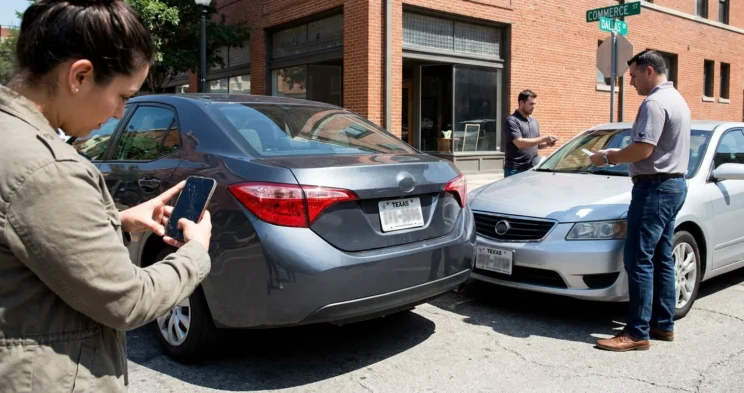
You were riding home from the Galleria when your Uber driver got rear-ended on the Sam Houston Tollway. Now you are standing on the shoulder, phone in hand, wondering what you are supposed to do next. You know the crash needs to go on record, but the app is not exactly walking you through it.
Report the Crash to Uber After an Accident
Uber gives riders and drivers two completely different reporting paths inside the same app. You need to follow the one that matches your role, or your report can stall before it reaches anyone.
The fastest way to get the crash on record is through the app itself. Doing it in-app timestamps the incident and routes it to Uber’s safety team automatically. Both paths take only a few minutes once you know where to tap.
How Uber Drivers Report a Crash
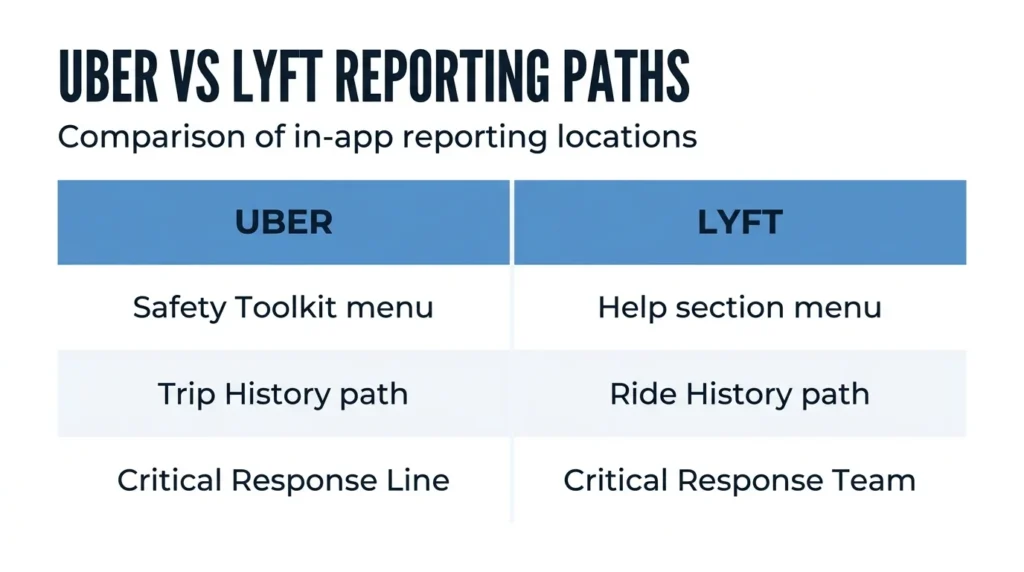
Drivers report through the Safety Toolkit, not the trip screen. The Safety Toolkit lives behind the blue shield icon and exists separately from your regular driving controls.
Step 1: Tap the blue shield icon in the Uber Driver app. This opens the Safety Toolkit, where all incident options live.
Step 2: Select “Report a crash” (or the equivalent crash-reporting option in the Safety Toolkit). This starts the report and tells Uber a crash happened during your trip.
Step 3: Follow the on-screen prompts to submit incident details. Uber may connect you to its Critical Response Line for serious crashes, which puts a live agent on the phone with you.
Step 4: Gather names, license plates, and insurance details before you leave. Collect witness contacts too, since they are far harder to track down once everyone drives away.
Uber’s own accident reporting instructions for drivers confirm this flow.
How Uber Riders Report a Crash
Riders report through trip history, not the Safety Toolkit. You start from the trip you were taking when the crash happened, which keeps your report tied to the right driver and route.
Open the Uber app, tap the menu icon, and select “Safety.” Then choose “I was in an accident,” confirm the correct trip, and share details of what happened. Uber may follow up through its Safety Incident Reporting Line, so keep your phone close.
You do not have to wait for your driver to report first. If you were hurt, filing your own account of what happened protects you no matter what the driver does.
Report the Crash to Lyft After an Accident
Lyft also splits reporting between drivers and riders, and both routes start from the trip record. The steps differ slightly from Uber, so do not assume the buttons sit in the same place.
Like Uber, Lyft logs the time you submit, which builds an early record of the crash. The sooner you report, the cleaner that record looks later.
How Lyft Drivers Report a Crash
Lyft drivers report through the Help section tied to the active or most recent trip. Open the Lyft Driver app and tap “Help” within the trip record.
Select “Report a Safety Issue,” then “I was in an accident.” Submit the required details, and Lyft’s Critical Response Team may contact you directly.
Document the scene, exchange information, and note the timestamp of your report. Lyft’s steps for reporting a crash lay out the same path.
How Lyft Riders Report a Crash
Lyft riders report through Ride History rather than the driver’s Help menu. Open the app, tap the menu icon, then “Ride History.”
Select the relevant ride and tap “Get Help.” Choose “Report a Safety Issue” and follow the prompts to document the crash.
Your report should include which coverage period was active when you were hit. Understanding how Uber and Lyft insurance periods work helps you describe the moment accurately.
Texas Law & Why Reporting Matters
Texas law puts legal duties on every driver at a crash scene, and rideshare drivers are not exempt. The in-app report you file also becomes an early record that insurance companies and attorneys will lean on later.
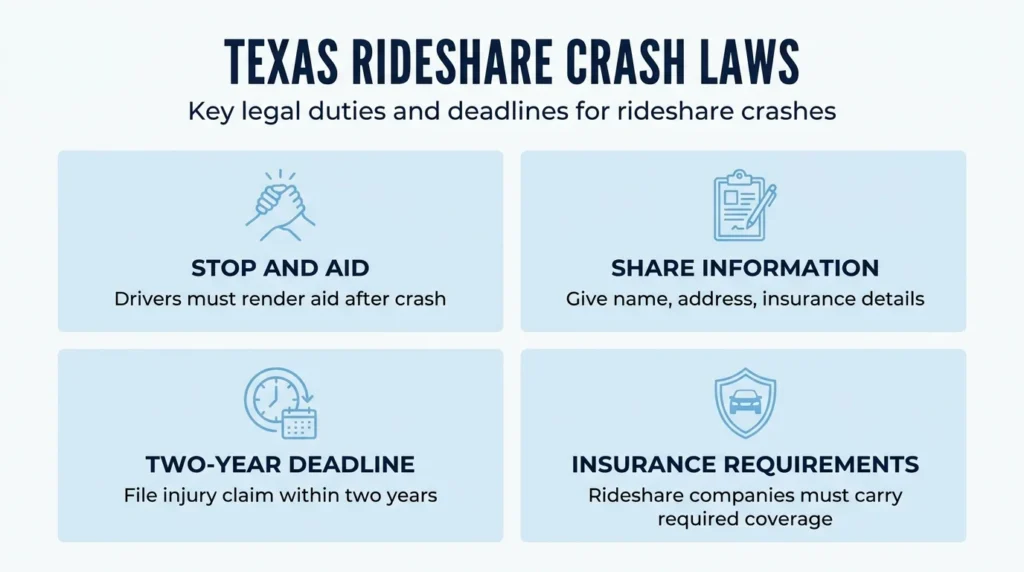
Texas Transportation Code Chapter 550 requires every driver in a crash to stop, render aid, and exchange information. Your rideshare driver owes those duties the same as anyone else on the road.
The duty to share information sits in Texas Transportation Code § 550.023. It requires drivers to give their name, address, registration, and insurance, and to help anyone who is hurt.
Reporting quickly also protects a separate legal deadline. Under the Texas Civil Practice and Remedies Code (CPRC) § 16.003, you have two years from the injury date to file a personal injury claim. Your in-app report timestamps the crash and starts your paper trail early.
Rideshare insurance follows its own rules in Texas. Texas Insurance Code Chapter 1954 governs the coverage these companies must carry. Which coverage period was active at the moment of your crash changes how your claim gets filed.
Waiting to report can complicate or undermine your claim, no matter who caused the crash. If you are unsure which coverage period applies to your situation, learning how Texas rideshare accident claims handle coverage disputes can help before you talk to any adjuster.
What to Do at the Scene Before You Report
Before you ever open the app, handle the scene itself. The steps you take in the first few minutes shape every report and claim that follows.
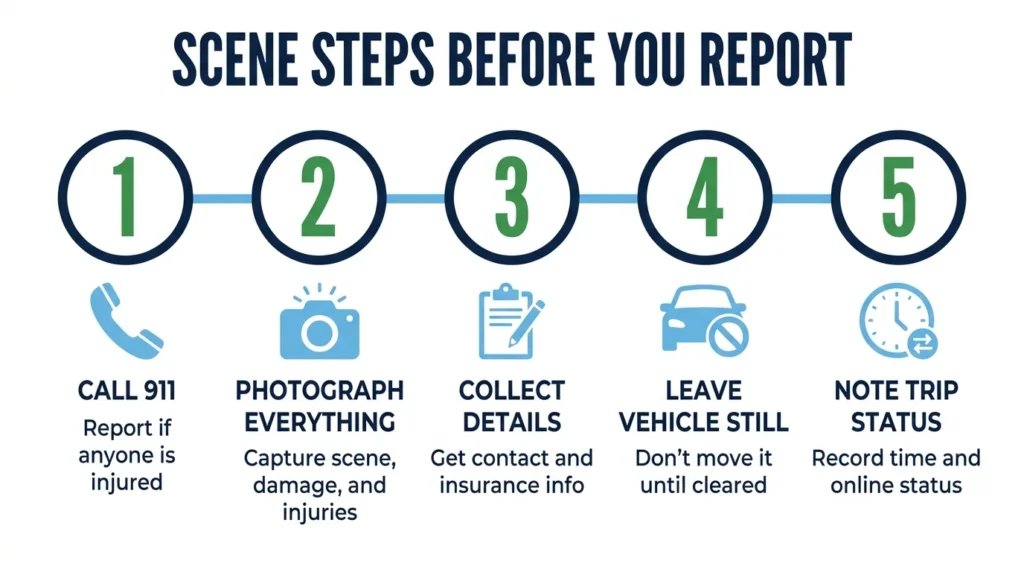
Step 1: Call 911 if anyone is injured. A police report is a separate, independent record from your in-app report, and it carries real weight with insurers.
Step 2: Photograph everything before vehicles move. Capture the scene, vehicle damage, license plates, and any visible injuries while the evidence is still in place.
Step 3: Collect contact and insurance details from everyone. Get names and information from all drivers and any witnesses standing nearby.
Step 4: Leave your vehicle where it stopped. Do not move it until law enforcement tells you to, unless an imminent hazard forces you to clear the road.
Step 5: Note the exact time and the trip status in the app. Record whether the driver was online or offline and whether the trip was active, because that detail decides which insurance tier applies.
Knowing what happens when an Uber gets in an accident saves you time and frustration in the future.
When to Contact an Experienced Attorney
You should think about legal help once injuries, disputed coverage, or pushy claims teams enter the picture. An attorney can do things the in-app report alone never will.
If you were hurt, even by an injury that felt minor at the scene, talk to someone early. An attorney can make sure your medical treatment is documented in a way that supports a future claim.
Rideshare insurance disputes get contested often, especially fights over which coverage period was active. An attorney can read the policy language and push back when an adjuster lowballs you.
Uber and Lyft both run claims teams, and their interests do not line up with yours. Independent legal counsel gives you a counterweight at the table.
Texas law also lets you pursue compensation from more than one party: the driver, the rideshare company, or another at-fault motorist. Sorting out the right defendants takes legal analysis, and an attorney who knows average settlements for a Lyft accident can review what happened at no cost before you commit to anything.
Talk to a Lawyer Today
Angel Reyes & Associates has represented Texas rideshare crash victims for more than 30 years. We offer free initial consultations, and we charge no fee unless we win, with more than $1 billion recovered for clients across the state.
We answer the phone 24/7 from our offices across Texas, so you never have to wait to ask a question after a crash. Reach out to us for a free consultation and we will walk you through your options.
Past results do not guarantee future outcomes.
Uber/Lyft Accident Reporting FAQs
What happens after I report a crash to Uber or Lyft?
Both platforms open an internal safety investigation, which may include reviewing GPS data, trip records, and statements from all parties involved. The platform’s insurance carrier is also notified to begin evaluating coverage.
Does reporting a crash to Uber or Lyft affect the driver's account?
Either platform may temporarily suspend or deactivate a driver’s account while the investigation runs, especially if injuries occurred or the driver is identified as at fault. Drivers have the right to appeal a deactivation through the platform’s review process.
Can a passenger report a rideshare crash if the driver does not?
Yes. Riders on both Uber and Lyft can file their own report independently through the app’s trip history or ride history section. You do not need the driver to report first, and filing your own account protects your record of the event.
Is there a deadline to report a crash to Uber or Lyft through the app?
Neither Uber nor Lyft publishes a hard cutoff for in-app reporting, but both companies advise submitting the report as soon as possible after the crash. Delays can create gaps in the incident record that complicate an insurance claim later.
Does a rideshare crash report go to the Texas Department of Transportation?
The in-app report goes to the platform and its insurer, not to TxDOT. A separate police report, filed by law enforcement at the scene, is the document that enters the state’s official crash records.
About the Authors

Angel Reyes
Writer
Angel L. Reyes, III is the Founder and Managing Partner of Angel Reyes & Associates. A nationally recognized trial attorney and business leader, Angel has helped over 70,000 injury victims recover more than $1 billion since founding the firm in 1993. Named to the Texas Super Lawyers list annually since 2008, Angel brings Wall Street experience, Ivy League education, and a deep commitment to client advocacy. He is a frequent legal commentator and published author with extensive contributions to legal scholarship, trial strategy, and consumer protection.

Kyle Nicolas
Editor
Kyle Nicolas is the Web Content & SEO Manager at Angel Reyes & Associates. He has more than 10 years of experience as a marketing co...

Angel Reyes
Reviewer
Angel L. Reyes, III is the Founder and Managing Partner of Angel Reyes & Associates. A nationally recognized trial attorney and business...